iHeartRadio · Video podcasts
Adding video to a medium people listen to while doing something else.
Designing how video podcasts look, play and get discovered on iHeartRadio, without breaking the audio experience people already rely on.
- Client
- iHeartRadio, via Code & Theory
- My role
- Product Designer. Led web, partnered on iOS
- Team
- 3 UX designers · 2 researchers · 1 PM · 12 engineers
- Timeline
- Oct 2025 – Jun 2026 (and ongoing)
- Platforms
- Web (desktop, tablet, mobile web) · iOS
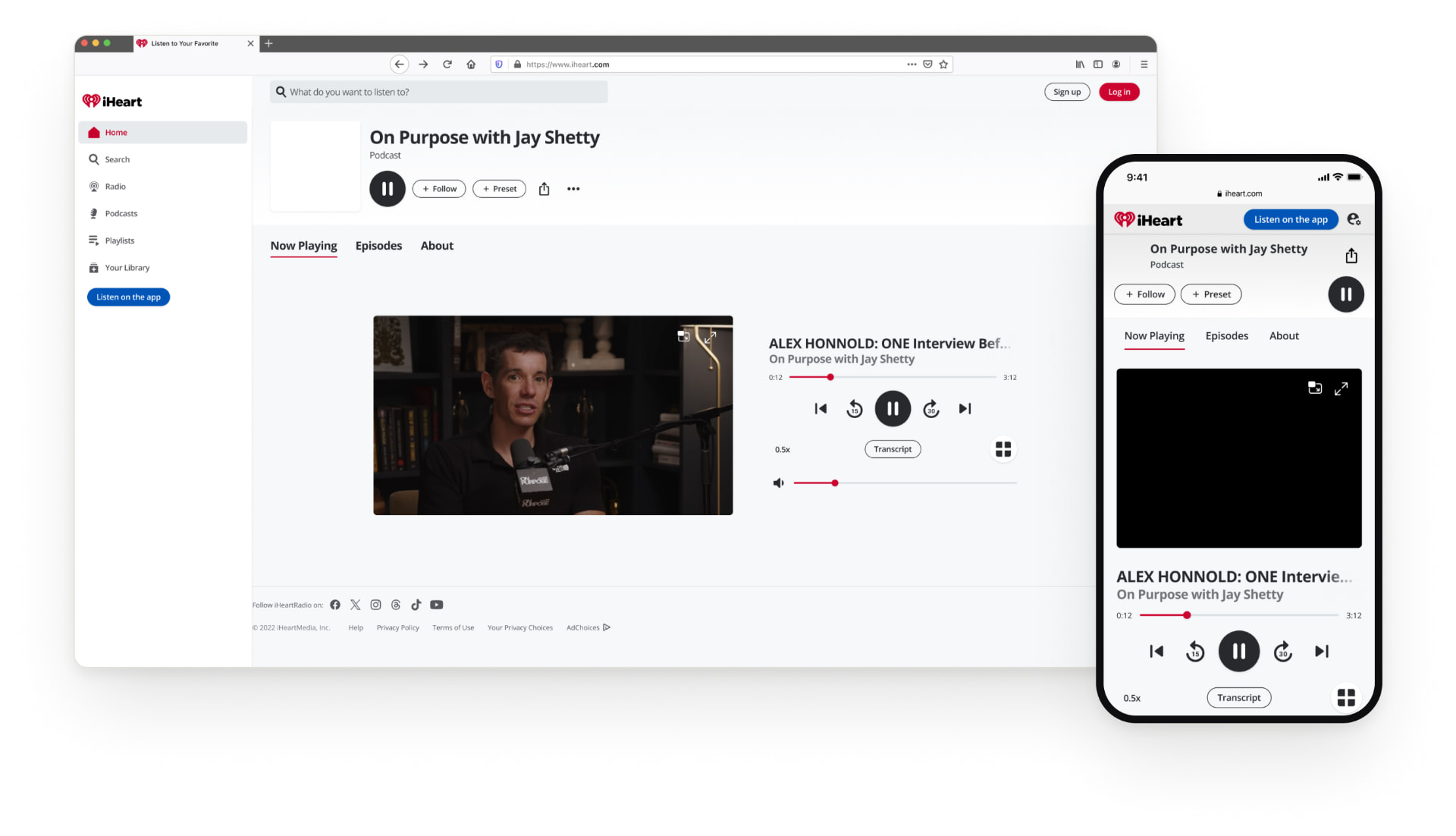
The problem
Listeners were moving to video podcasts, but iHeart was audio only. Adding video couldn’t break how people already listen.
What I did
Led the web experience end to end: flows, layouts across breakpoints, specs, and QA with engineering. Partnered on iOS.
What shaped it
Two rounds of research. People wanted the choice, but mostly to keep doing other things while they watch.
Status
Soft launch as an A/B test in April 2026, then rolled out to 100% of users on iOS, Android and web in June, with a marketing launch.
01Context
Video was coming. The question was how.
iHeart reaches 9 out of 10 Americans every month, and podcasts are one of its biggest growth areas. As audiences moved toward watching podcasts, not just hearing them, iHeart needed a video experience to stay competitive. But it’s an audio-first brand, and that’s its strength. The goal wasn’t to bolt video on. It was to add it without breaking what already worked.
YouTube
The giant. Not something to compete with head on: iHeart had to add value in a different way.
Spotify
The clearest competitor, already in video podcasts for a while.
Apple Podcasts
Entering video at around the same time as iHeart.
The bet: creators first
iHeart lets creators keep all of their in-episode ad revenue, for video too. If hosts earn more here, they promote iHeart on air, and their audiences become app users.
- 100%
- of in-episode ad revenue stays with creators on iHeart
- ~40%
- what YouTube takes from creators
- ~50%
- what Spotify takes on average
So the design had a clear job: make video easy to find for people who want it, without hurting the audio experience that advertisers and most listeners rely on.
The insight that framed everything
Podcasts are a multitasking medium. People listen while commuting, cooking and working. Any video feature that ignored that would add friction, not value.
02Research
Two rounds, two different questions.
We ran two moderated rounds of research with an external research partner. The first asked whether people wanted video at all and how to offer it. The second tested how the video page itself should work on desktop.
First question: where should video live?
Option A
shippedA Watch button on every episode card
One Episodes tab with both formats. Watch is always visually secondary to Listen.
Option B
A separate Videos tab
Episodes stay as they are, and video lives in its own tab when a show has it.
Round 1 · Q4 2025 · 20 participants, A/B test
Should we offer video, and how?
- The choice between audio and video was rated highly: “intuitive” and “easy”.
- Listen first, Watch second felt natural and expected. Watch first felt off.
- 80% said video time would come from what they already watch or listen to, so the real competition is YouTube and their own audio habits.
What we decided: Keep audio as the default. “Listen” stays primary on every episode, “Watch” sits next to it.
Round 2 · Q1 2026 · 10 participants
How should the video page work?
- Layout was a 50/50 split: controls beside the video vs. inside it.
- 70% put multitasking first: picture-in-picture (40%) and audio/video staying in sync when they switch tabs (30%).
- Switching from video to audio worked for everyone: 100% noticed playback kept its place.
What we decided: Since layout split people evenly, invest where they agreed: leaving the page without losing the video. PiP and the mini player became priorities.
- 80%
- would watch instead of other audio or video
- 50/50
- split on layout
- 70%
- prioritized multitasking tools
- 100%
- kept their place switching to audio
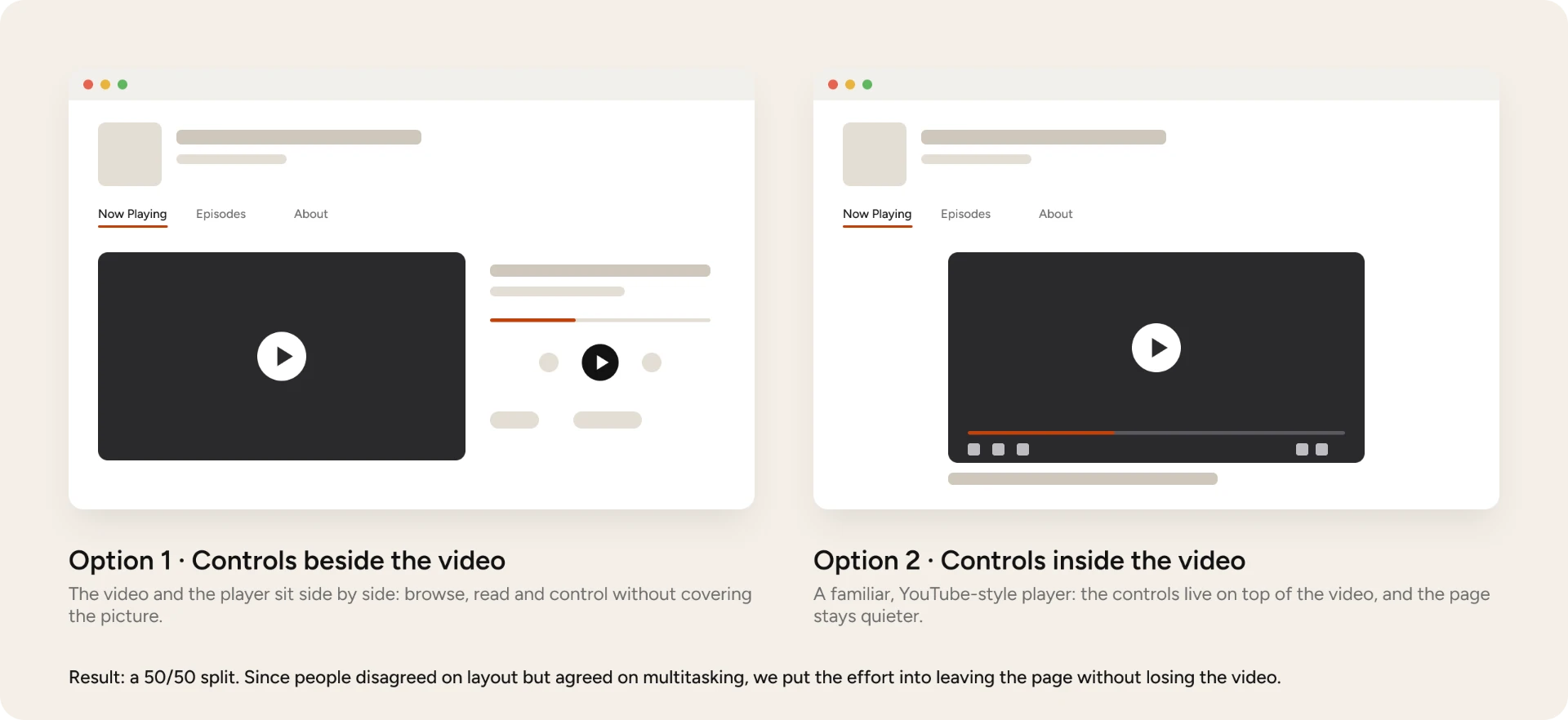
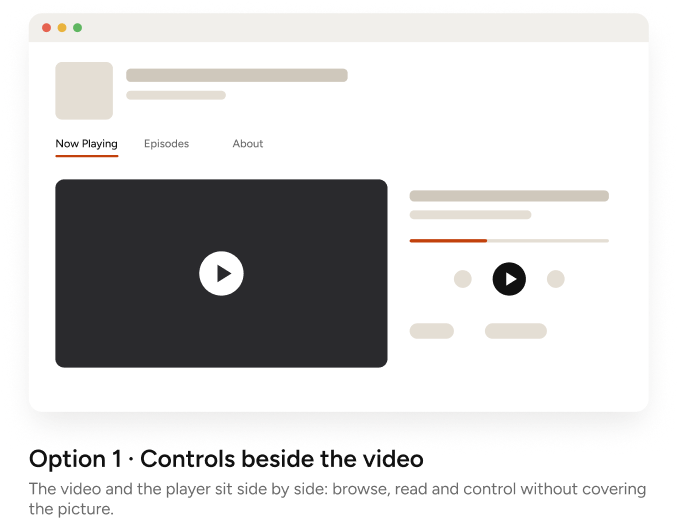
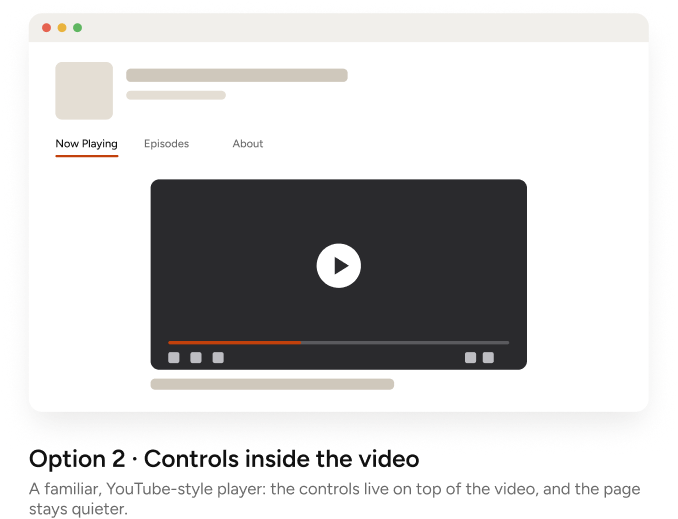
Result: a 50/50 split. Since people disagreed on layout but agreed on multitasking, we put the effort into leaving the page without losing the video.
The two layouts tested in round 2, redrawn as simple wireframes.
03Design
Audio first, video one tap away.
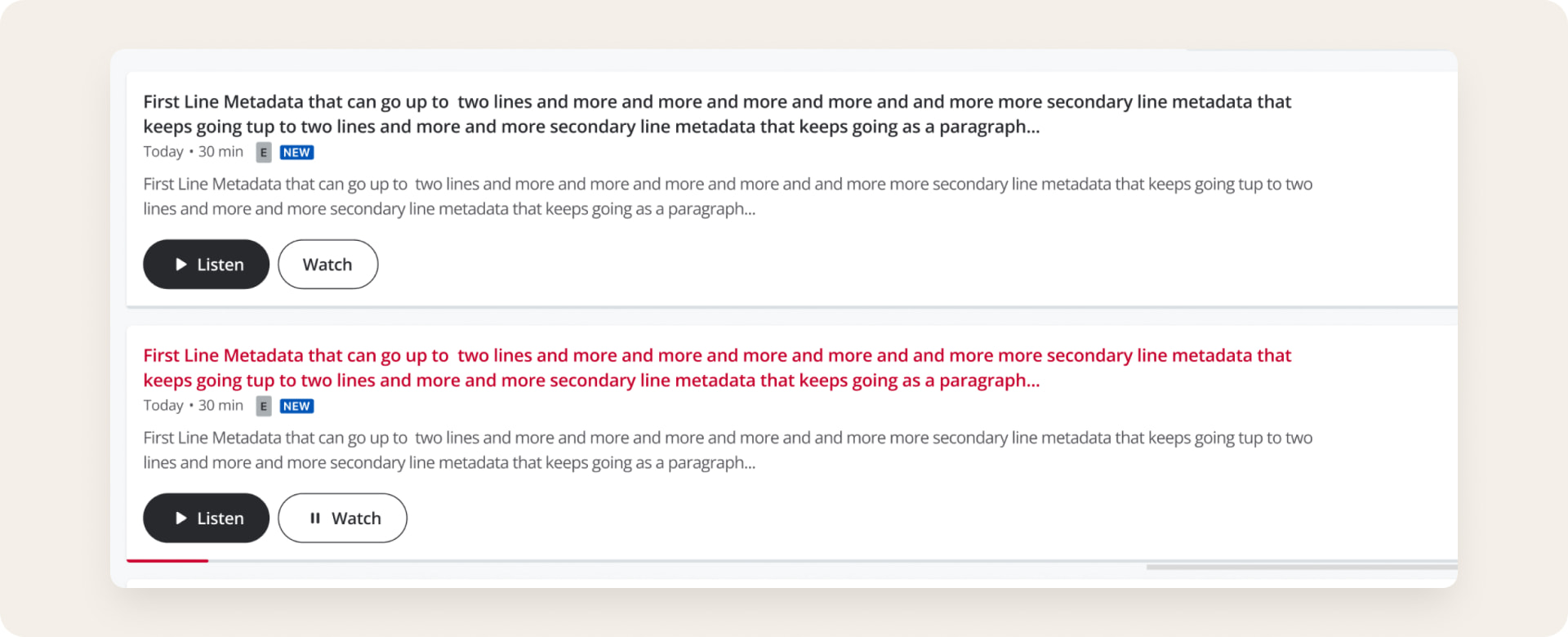
The smallest change carried the biggest decision. Every episode card got two buttons: “Listen” stays primary, “Watch” sits next to it as a secondary option. Nobody loses the habit they already have, and video is always visible.
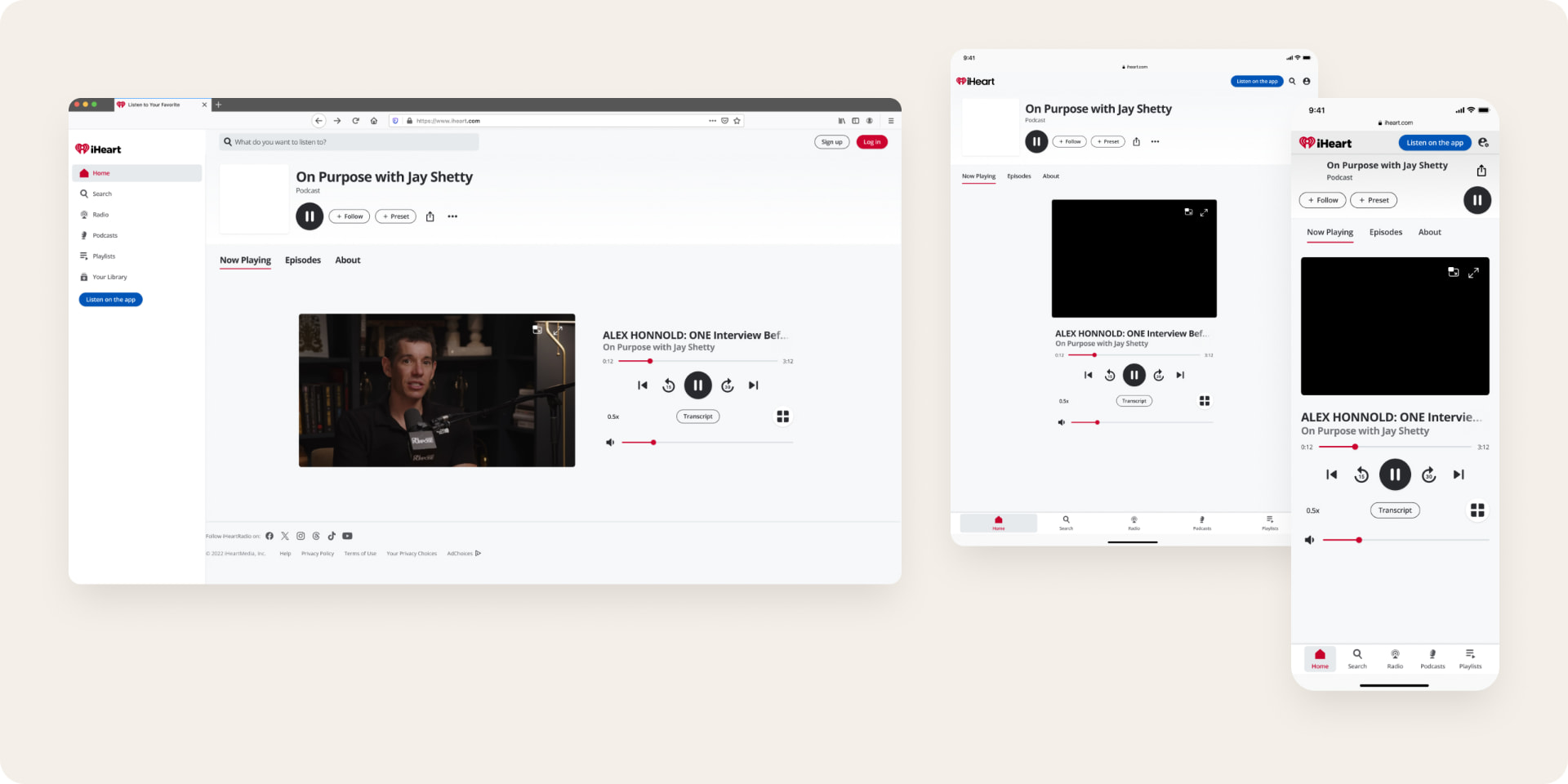
Every way a video can start, pause, continue or leave
Because people multitask, most of the work was in the edges: what happens when you leave, come back, lose connection or reach the end.
Pills: Watch from an episode · Listen to the same episode · Resume a partly watched video · Auto-advance to the next one · Fullscreen · Picture-in-picture · Leave the page, keep playing · Buffering · Sharing a video · Episode page · Presets · Casting
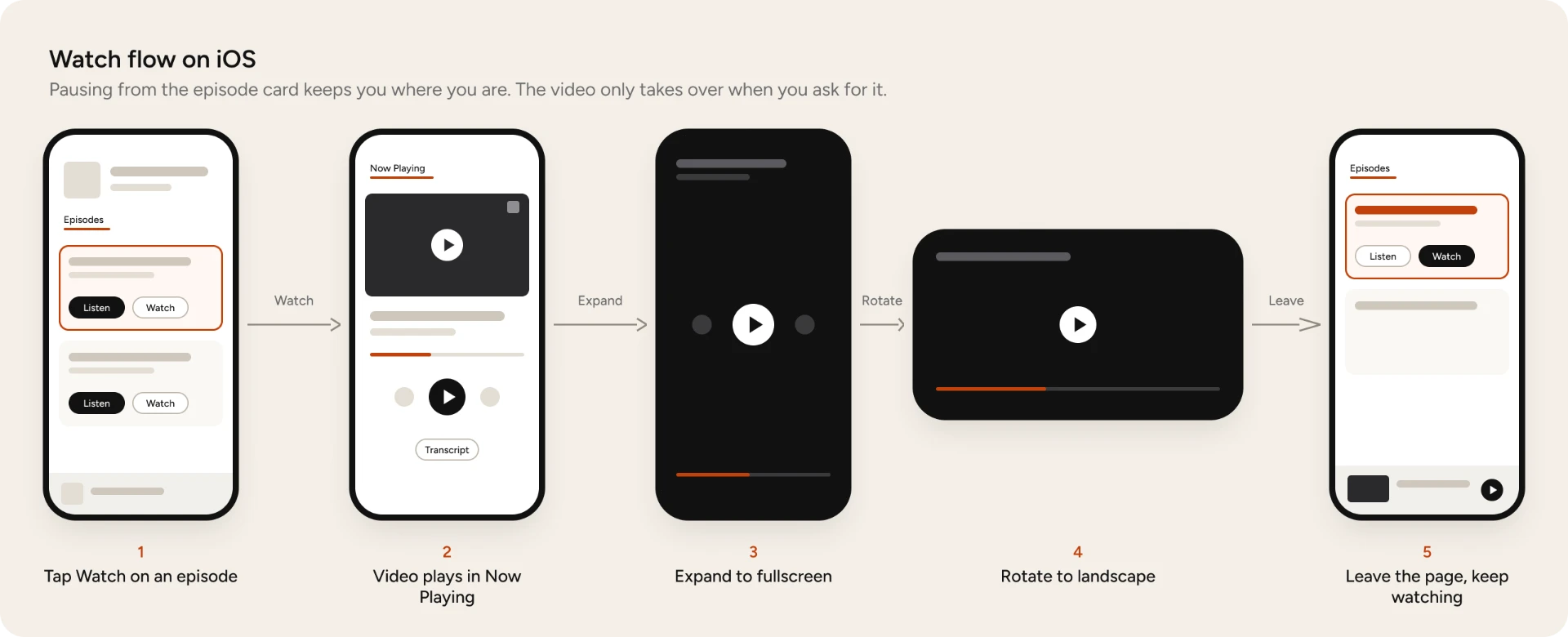
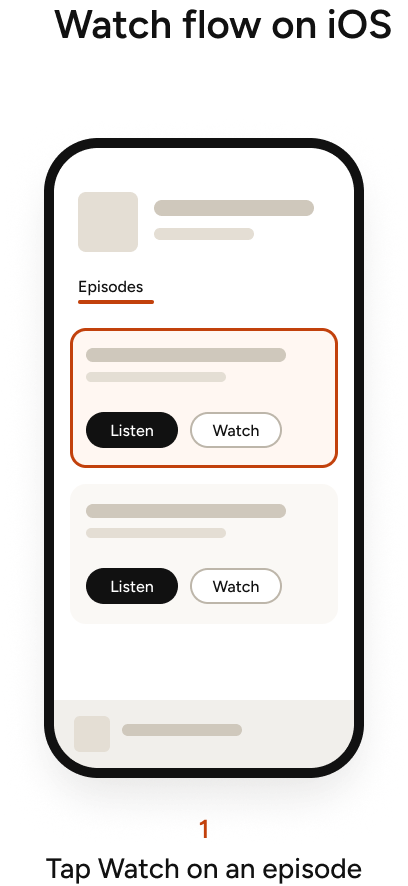
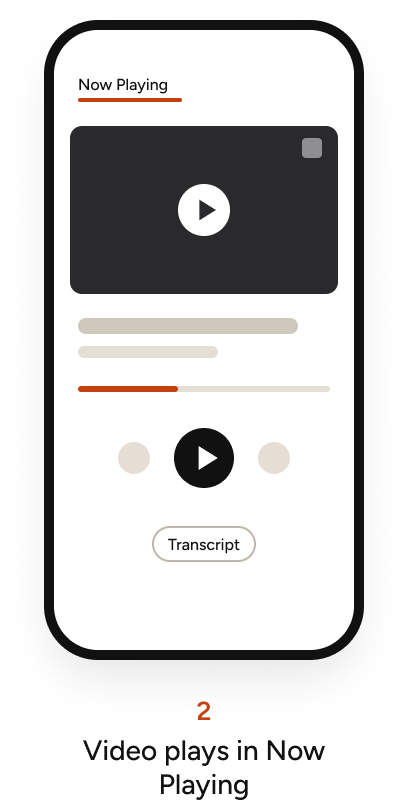
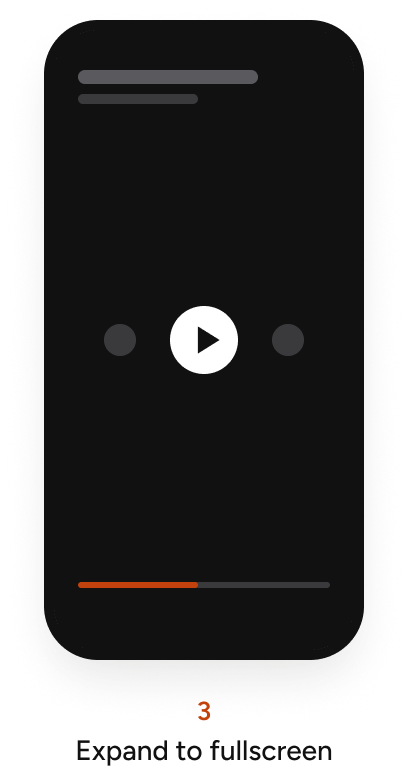
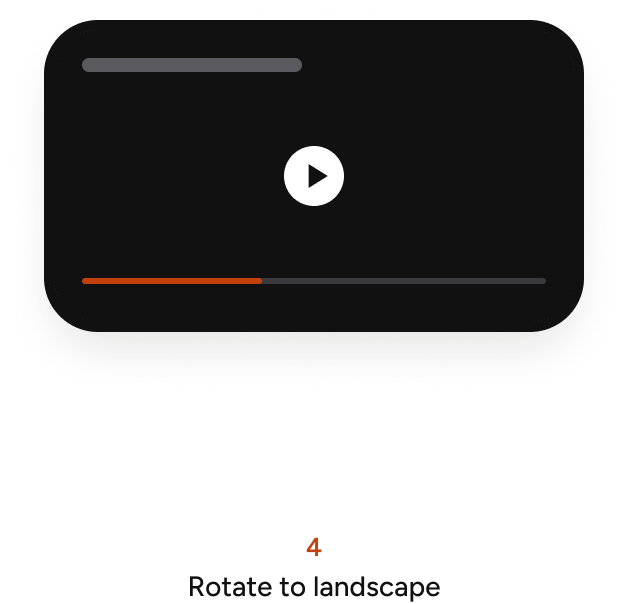
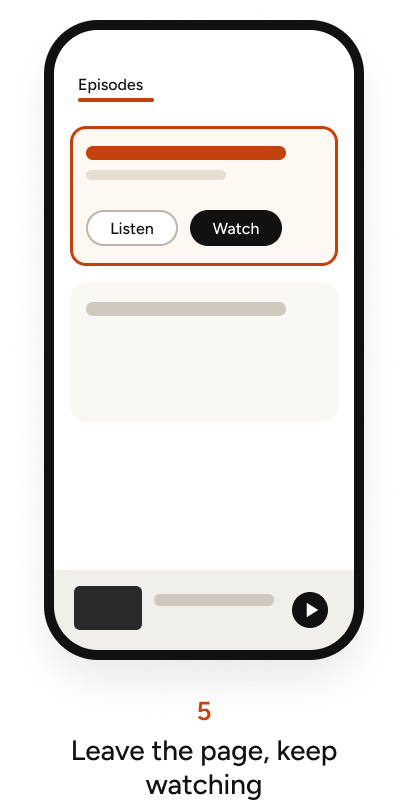
The watch flow I partnered on for iOS: from the episode card to the player, fullscreen, landscape and back.
Designing around a constraint
Audio and video were two separate files.
They had different ad breaks, so 12:30 in the audio wasn’t 12:30 in the video.
- No switching in the MVP: Toggling formats mid-episode would have dropped people in the wrong place.
- One saved position per episode: Simple to understand, shared by audio and video.
- Pause, don’t mute, on lock: Phones won’t play video with the screen locked, so the video pauses and resumes from the exact frame.
- Resume where you left off: After a call or a notification, playback picks up at the same frame, so ad tracking isn’t lost.
- Clear limits: Video can’t be downloaded, and the app says so when you’re offline.
04Trade-offs
What should “Play” mean on an episode with video?
After the MVP, a new question came up: should the play button on a video episode play audio or video? I explored two options and laid out the trade-offs so the team could decide with eyes open.
Option 1 · Remove the play button on “Watch”
Pros: + Low engineering and analytics lift, so we hit the deadline. + The card shows exactly what’s playing and in which format.
Cons: – “Watch” would work differently from “Listen”. – A missing play icon can look like a bug, not a choice. – Breaks a familiar pattern, so people have to relearn it.
Option 2 · One play button + a toggle in the player
Pros: + Audio by default, in line with the brand. + Keeps the single play button. Less clutter, no choice paralysis. + Matches how Spotify and YouTube work.
Cons: – More engineering and analytics work for V1. – Watching takes one extra tap.
We went with option 2. A Listen/Watch toggle shipped on mobile in September 2026, once both formats could share one stream: switching keeps your place and doesn’t restart playback. The web version is designed and waiting to be prioritized.
05From Figma to production
My spec became the source of truth.
I stayed close to engineering through the build: visual QA on every piece, an end-to-end QA pass across the web experience, and decisions on the bugs that needed design input.
Visual QA · episode cards · shipped March 2026
Small details, caught the day before launch
- 8px between Listen and Watch, not 16px.
- 16px card padding on every side.
- No extra padding on the options icon.
- Date and duration in the caption style at every breakpoint.
All fixed the same day.
End-to-end QA · web · April 2026
9 bugs found across the 5 areas I owned
Episode card & playback: 4 bugs · Now Playing & controls: 2 bugs · Picture-in-picture: 3 bugs · Fullscreen player: No bugs · Overflow menu: No bugs
Decisions with engineering
Pause shouldn’t move you.
Pausing from the header jumped people to the Now Playing tab. Resolution: Engineering found the answer in my Figma notes: pausing keeps you on the same page, like on mobile. Fixed.
Times that didn’t match.
After seeking, the video and Now Playing showed different times, caused by the player’s hover preview. Resolution: We hid the preview for V1 and agreed to revisit the player’s built-in controls after MVP, as my designs intended.
PiP that opened on its own.
Picture-in-picture popped up whenever people left Now Playing. Resolution: I clarified the intent: PiP only opens when the user asks for it. We added two flows to the spec to make it explicit.
06How it evolved
From A/B test to a full launch.
The MVP was the first step of a longer roadmap. Each version unlocked the next one.
V1
Apr 2026Soft launch
A/B test: only half of users saw the Watch button.
V2
Jun 2026Full launch
Rolled out to 100% on iOS, Android and web, with the ad support major publishers required and a marketing launch.
V3
Sep 2026Listen/Watch toggle
Shipped on mobile. Web designed, waiting to be prioritized.
V4
NextTV and casting
Watching on the big screen.
A decision worth noting
The full launch was built to force people to watch ads before and after episodes. Right before launch, the team turned that off because competitors like Apple Podcasts don’t force ads. The audio-first, low-friction principle won again.
How success is measured
- App installs from host mentions
- Time spent and completion
- Watch vs. Listen ratio
- Hosts opting in
- Pre-roll view-through
- User sentiment
07What I learned
In a multitasking medium, the moments people leave matter as much as the moments they watch.
And a clear spec saves meetings: when engineers had a question, the answer was already in Figma.